
Guides
How much RAM do I need — 16GB or 32GB?

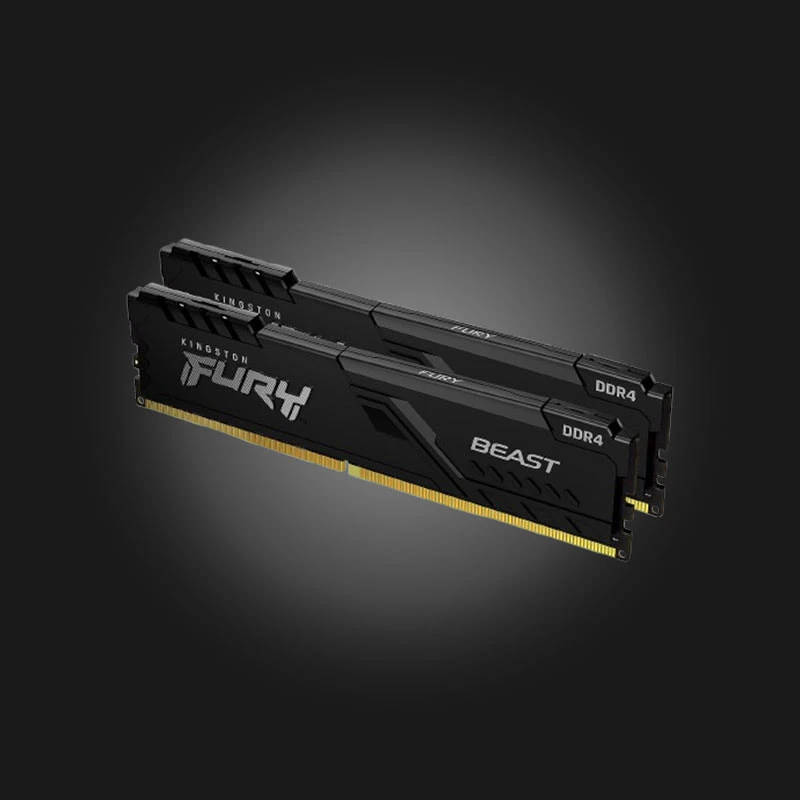
Random Access Memory (RAM) is one of the most overrated and misunderstood components. Many people assume that more RAM automatically means a faster computer. In reality, it's important to have enough — too much is just sitting idle.
What does RAM do?
RAM is a temporary workspace where the processor stores whatever it's currently working on — an open game, browser tabs, programs. When RAM fills up, the system starts moving data to disk, which dramatically slows down performance.
8GB — not enough anymore
In 2026, 8GB will only be useful for the simplest office tasks: browsing, documents, watching videos. Most modern games specify 16GB as their minimum requirements.
16GB — the golden mean
For the vast majority of games 16GB is perfectly sufficient.. If you mainly play games and have a browser and Discord open at the same time, this capacity will fully cover your needs. The rest of the budget is much better spent on a video card than on additional RAM.
32GB — When does it make sense?
32GB provides real benefits in the following cases:
- Video editing and color correction — Especially on 4K material.
- 3D modeling and rendering — Blender, 3ds Max, Cinema 4D.
- Streaming while playing — Coding consumes additional resources.
- Virtual machines or heavy workload environments — Programming, large databases.
- Running several heavy games or programs at the same time.
If you don't recognize yourself in this list, the extra money you paid for 32GB will be wasted.
Dual-channel mode — free performance
This is probably the most important practical advice: Always install two modules instead of one. That is, 2×8GB is better than one 16GB module, and 2×16GB is better than one 32GB. Dual channel mode doubles memory bandwidth and noticeably improves frame rates in games — especially if the processor has integrated graphics.
Frequency and latency
In the case of DDR5, the optimal frequency is 6000 MHz with low latency (CL30–CL36). On AMD's AM5 platform, this range is considered the most balanced. The money spent on very high-frequency modules, as a rule, does not provide proportional performance.
Important: The system often runs at a lower frequency by default. To get the declared speed, you must enable it in the BIOS. EXPO (AMD) or XMP (Intel) profile.
Conclusion
For most gamers, the correct answer is 2×8GB DDR5-6000 Or, if your budget is more flexible and you also use your computer for work, 2×16GB. A single 32GB module is the worst choice — it kills dual-channel mode.
To build a balanced configuration, you can use our Configurator and A guide to building a computer on a budget.

 All-in-One PC
 Laptop
 Motherboard
 CPU
CPU Cooling
 Case Fan
 Thermal Paste & Brackets
 Memory (RAM)
 Graphics Card
 Storage
 SSD
SSD Power Supply
 Keyboard
 Mouse
Mouse Mouse Pad
 Headset
 IEM
IEM Wireless Headphones
 DAC & Amplifier
 Headphone Accessories
 Speaker
 Controller
 Microphone
 Mic Arm
 Audio Mixer
 Webcam
 Stream Deck
 Capture Card
 Decor
Decor
 Display Cable
 USB & Type-C Cable
 Audio Cable
 Ethernet
 Gaming Chair