
Guides
Building a Gaming PC on a Budget — The Complete Guide

Building a gaming PC isn't difficult if you know what components you need and how to choose them to work together. In this step-by-step guide, we'll explain what you need and how to budget wisely.
What components are needed?
- Processor (CPU) — The "brain" of the computer„
- Video card (GPU) — The most important part for gaming
- Motherboard — combines all components
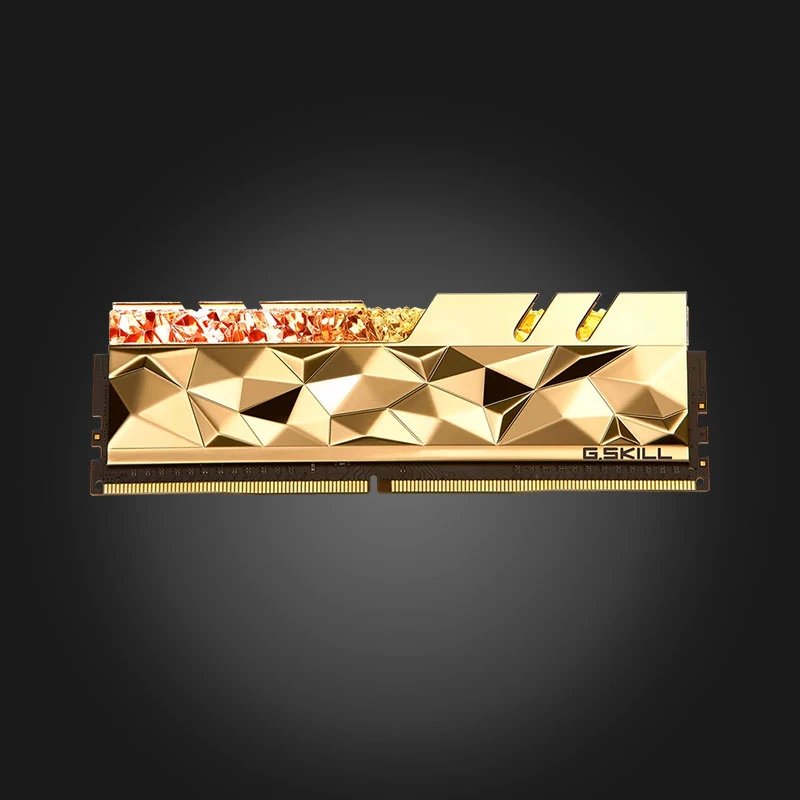
- Random Access Memory (RAM) — 16GB is the minimum for gaming today
- Solid state drive (SSD) — For fast loading
- Power supply unit (PSU) — Sufficient and of good quality
- Case and cooling — For stable temperature
How to allocate the budget
The biggest part of the budget for a gaming computer Video card should be used, because it is what determines the performance of the games. Then comes CPU and Memory. Don't save. On the power supply — A cheap PSU puts the entire system at risk.
Compatibility — Important Details
Make sure that Processor The socket matches Motherboard The socket, the video card fits In the case, and the power supply capacity is sufficient for the entire system. Also consider the appropriate Cooling.
Pre-assembled or individual?
If you don't want to assemble it yourself, you can buy it ready-made at Gamers.ge. Desktop PC Or take advantage of our With online configurator And build your ideal computer step by step.
FAQ
How much RAM do I need for gaming?
For today's games, 16GB is optimal. 8GB is already a bit low, and 32GB is needed for heavy workloads and streaming.
SSD or HDD?
Be sure to install the operating system and games on an SSD — the difference in boot speed is huge.
Where can I buy components in Georgia?
At Gamers.ge you will find all the necessary components with an official guarantee and fast delivery throughout Georgia.
Need help with assembly? Contact us — our team will help you.

 All-in-One PC
 Laptop
 Motherboard
 CPU
CPU Cooling
 Case Fan
 Thermal Paste & Brackets
 Memory (RAM)
 Graphics Card
 Storage
 SSD
SSD Power Supply
 Keyboard
 Mouse
Mouse Mouse Pad
 Headset
 IEM
IEM Wireless Headphones
 DAC & Amplifier
 Headphone Accessories
 Speaker
 Controller
 Microphone
 Mic Arm
 Audio Mixer
 Webcam
 Stream Deck
 Capture Card
 Decor
Decor
 Display Cable
 USB & Type-C Cable
 Audio Cable
 Ethernet
 Gaming Chair