
Guides
Webcam — How to Choose One in 2026: 1080p or 4K, 60 fps and Lighting

When choosing a webcam, everyone looks at the number on the box — 4K — but image quality depends far more on the sensor, the autofocus and, above all, the lighting in your room. In this article we cover what matters for Zoom, for streaming and for everyday calls.
1080p, 1440p or 4K
For video calls, 1080p is completely enough: Zoom, Teams and Google Meet compress the image anyway and cannot really deliver a higher resolution. A 1080p camera is all you need for work calls — for example the Logitech Brio 300, which also has a privacy shutter for the lens.
4K is worth it when you want to crop or zoom the frame without losing quality, or when you edit recorded video. 4K cameras include the Logitech MX Brio, Logitech BRIO and Insta360 Link 2C. 1440p (2K) is a middle option and suits streaming well.
30 or 60 frames per second
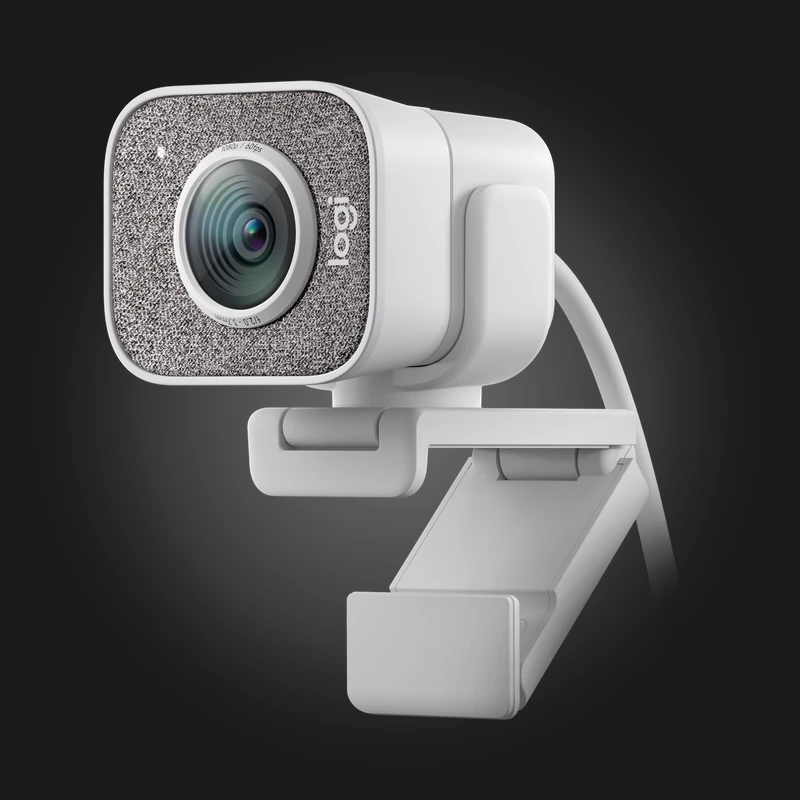
30 fps is enough for calls. For streaming, 60 fps makes motion smoother — especially if you move a lot in front of the camera or demonstrate things with your hands. The Logitech StreamCam is made exactly for this: 1080p at 60 fps, a USB-C connection and a vertical video mode, which is handy for TikTok and Shorts. We also have it in white — StreamCam White.
Lighting matters
Even the most expensive camera shows a noisy, blurry image in a dark room — the sensor lacks light and the camera tries to fix it in software. So before spending money on a camera, sort out your lighting: a window or lamp should be in front of your face, not behind you. With light behind you, your face goes dark, and no camera can fully fix that.
If you often go on camera in the evening or in a poorly lit room, choose a camera built for low light. The Razer Kiyo Pro's dedicated sensor is made for exactly this, while the Razer Kiyo V2 X shoots at 1440p and is aimed at streamers.
Autofocus and viewing angle
Autofocus keeps your face sharp even when you lean closer to the camera or show it something. A fixed-focus camera blurs the image in those moments. Field of view determines how much is in the frame: a narrow angle shows only your face and hides the room, while a wide one suits a frame with two people or a whole desk. Many cameras also let you change the angle in software.
AI tracking
If you walk around the room during a call or lesson, for example writing on a whiteboard, a camera with tracking will help. The OBSBOT Tiny turns on a motorised gimbal and follows your movement, while the Insta360 Link 2C crops the frame digitally so you always stay in the centre.
Microphone
A webcam's built-in microphone is fine for calls, but weak for streaming and podcasts — it sits far from your mouth and picks up room echo. If sound matters, buy a separate microphone. To pick one, read our microphone guide.
In short
For work calls — 1080p with autofocus. For streaming — 60 fps or 1440p, with a sensor built for low light. For video editing and cropping — 4K. For moving around the room — AI tracking. And whichever you choose, sort out your lighting first.
Full selection — in the webcams section. Still can't decide? Call us or message us on WhatsApp: +995 599 088883.

 All-in-One PC
 Laptop

 Motherboard
 CPU
 Cooling
 Case Fan
 Thermal Paste & Brackets
 Memory (RAM)
 Graphics Card
 Storage
 SSD
 Power Supply

 Keyboard
 Mouse
 Mouse Pad
 Headset
 IEM
 Wireless Headphones
 DAC & Amplifier
 Headphone Accessories
 Speaker
 Controller

 Microphone
 Mic Arm
 Audio Mixer
 Webcam
 Stream Deck
 Capture Card
 Decor

 Display cable
 USB & Type-C Cable
 Audio Cable
 Ethernet
 Gaming Chair