
Guides
Controller for PC — XInput, Hall-effect, polling and how to choose in 2026

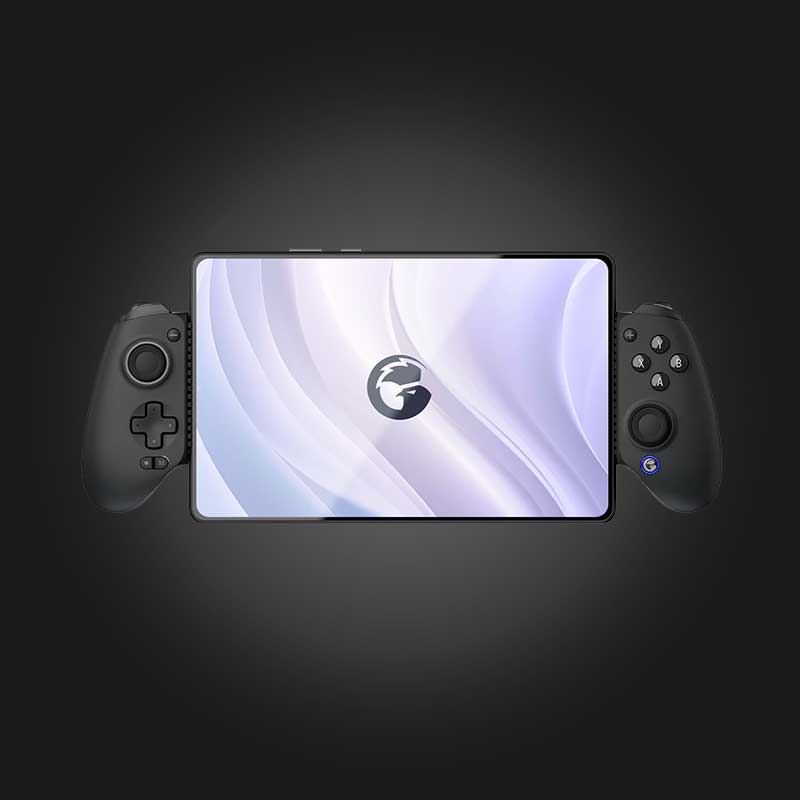
On a PC, a controller doesn't replace the mouse and keyboard — it complements them. Racing, sports, platformers, fighting and souls-like games are better on a pad: Analog joystick and trigger provide controlled control. Shooters, strategies and MOBAs are left to the mouse.
XInput or DirectInput
Standard on Windows XInput-is — Xbox layout (A/B/X/Y). All modern games recognize this controller without a driver. DirectInput It's an old protocol; PlayStation's DualSense looks like this on PC, so it's in most games. Steam InputYou need to translate with (Steam → Settings → Controller). You can also play outside of Steam — the Xbox layout is the most straightforward choice, for example GameSir G7 SE, which is a licensed model of Xbox and also works on the console.
Wired, 2.4 GHz or Bluetooth
- Cable (USB) — Lowest latency, no charging required; budget-friendly AULA G1000 That's just how it is;
- 2.4 GHz dongle — Delay close to the wire, stable connection; SteelSeries Stratus Duo Supports both dongle and Bluetooth;
- Bluetooth — Most convenient, but has the highest latency and usually low polling; good for laptops and phones, not for competitions.
Hall-effect joystick and drift
Regular joystick It's on the potentiometer. — Mechanical contact that wears out and breaks down over time driftCauses: The character leaves on his own. Hall effect The joystick works with a magnet and sensor, has no contact and does not drift. GameSir G7 SE and G8+ are based on Galileo Hall-effect joysticks.
Polling, back buttons, vibration
Polling rate It's how many times per second the controller reports its position: regular models operate at 125-250 Hz, gaming models at 1000 Hz, some at 8000 Hz — EasySMX Dune 8K It says it all in the name. Back buttons (back paddles) allow you to jump and reload without removing your thumb from the joystick — a big advantage in shooters and souls-like games. Vibration It is standard everywhere; Adaptive triggers (Resistance Shift) is a feature of the DualSense and only works on PC in games that support it directly, mostly via a cable.
Mobile Clip Controller
If you play on your phone in addition to your PC (Xbox Cloud, GeForce Now, emulators), there is a separate class for the clip-on controller that holds the phone in the middle — GameSir G8+ Galileo That's it, with full-size Hall-effect joysticks.
How to connect to a PC
- USB — Plug and play; Windows automatically recognizes the Xbox layout controller;
- 2.4 GHz — dongle in USB, pairing button on the controller;
- Bluetooth — Settings → Bluetooth & devices → Add device, pairing mode on the controller;
- Check: Steam → Settings → Controller, or joy.cpl in Windows — all buttons and joystick ranges are visible here.
Full selection — In the controllers section. If you don't know which one is right for you, call us and tell us what games you need it for: +995 599 088883.

 All-in-One PC
 Laptop

 Motherboard
 CPU
 Cooling
 Case Fan
 Thermal Paste & Brackets
 Memory (RAM)
 Graphics Card
 Storage
 SSD
 Power Supply

 Keyboard
 Mouse
 Mouse Pad
 Headset
 IEM
 Wireless Headphones
 DAC & Amplifier
 Headphone Accessories
 Speaker
 Controller

 Microphone
 Mic Arm
 Audio Mixer
 Webcam
 Stream Deck
 Capture Card
 Decor

 Display cable
 USB & Type-C Cable
 Audio Cable
 Ethernet
 Gaming Chair