
Guides
Gaming Laptop or Desktop PC — Which One to Choose in 2026

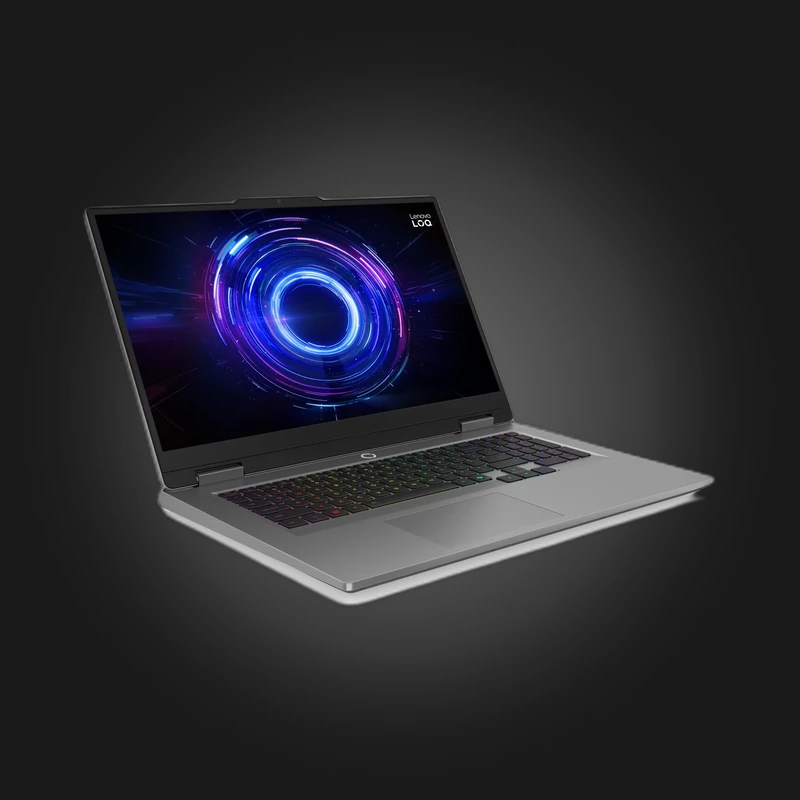
A gaming laptop and a desktop computer run the same games, but they are made for different people. If your computer stays in one place and that is the only place you play, a desktop PC gives you more power and a longer life for the same money. If you study, work or travel often, a laptop is the only option that goes everywhere with you.
Same name, different power
A laptop graphics card carries the same name as the desktop one — RTX 5060, RTX 5070 — but it is a different version, built for lower power. Its strength is set by TGP — how many watts the manufacturer gives the graphics card in a specific model. The same RTX 5060 delivers noticeably different FPS in a thin laptop and in a thick, well-cooled one. So when choosing a laptop, check the graphics card's power (in watts) along with its name.
The same goes for the processor: HX-series chips, such as the Lenovo LOQ 17's i7-14700HX or the Legion Pro 5's Core Ultra 7 255HX, are built for gaming and draw more power, while the U series is focused on saving battery and is weak for gaming.
Cooling and noise
A desktop case fits large heatsinks and several fans, while a laptop has to fit everything into a few centimetres of thickness. As a result, a gaming laptop gets loud and hot under load — that is normal, not a defect. When gaming, put the laptop on a hard surface, not on a bed, and if you often play for long sessions, a cooling stand improves airflow under the laptop. A desktop PC handles the same load far more quietly.
Gaming on battery
A gaming laptop only shows its full power when plugged in. On battery, the graphics card lowers its power and a demanding game drains the battery quickly. The battery is for studying, films and light work — for gaming, always keep the charger nearby.
Upgrading years later
This is where a desktop PC has its biggest advantage. Two or three years later you can replace just the graphics card and the computer will handle modern games again. In a laptop, the processor and graphics card are soldered to the board — they cannot be replaced. As a rule, the RAM and SSD can be swapped, so buy with enough RAM — 16GB is the minimum, while 32GB will last you a long time.
Screen and peripherals
A laptop's price already includes the screen, keyboard, touchpad, speakers and webcam. Gaming models have 144–165 Hz screens — the Lenovo LOQ 15 has a 144 Hz screen, while the Legion Pro 5 comes with a 165 Hz OLED display. For a desktop PC you will need a monitor, keyboard, mouse and headset separately — keep that in mind when planning your budget. On the other hand, you get to choose exactly the monitor and keyboard you want.
So, which one to choose
Laptop — choose one if you need your computer outside the home too — at university, at work, while travelling — or if you have no room for a desktop at home. At home you can connect an external monitor, keyboard and mouse to the laptop and use it like a desktop.
Desktop PC — choose one if you mostly play at home and want maximum FPS for the money, quiet operation and the option to upgrade part by part over the years. Ready-made builds are in the gaming computers section, or you can build one from your own parts in our configurator tool.
Gaming laptops are in the laptops section. Still can't decide? Call us or message us on WhatsApp: +995 599 088883 — we'll help you choose based on your budget and the games you play.

 All-in-One PC
 Laptop

 Motherboard
 CPU
 Cooling
 Case Fan
 Thermal Paste & Brackets
 Memory (RAM)
 Graphics Card
 Storage
 SSD
 Power Supply

 Keyboard
 Mouse
 Mouse Pad
 Headset
 IEM
 Wireless Headphones
 DAC & Amplifier
 Headphone Accessories
 Speaker
 Controller

 Microphone
 Mic Arm
 Audio Mixer
 Webcam
 Stream Deck
 Capture Card
 Decor

 Display cable
 USB & Type-C Cable
 Audio Cable
 Ethernet
 Gaming Chair