
Guides
Motherboard — How to Choose in 2026: AM5 or LGA 1851, B or Z

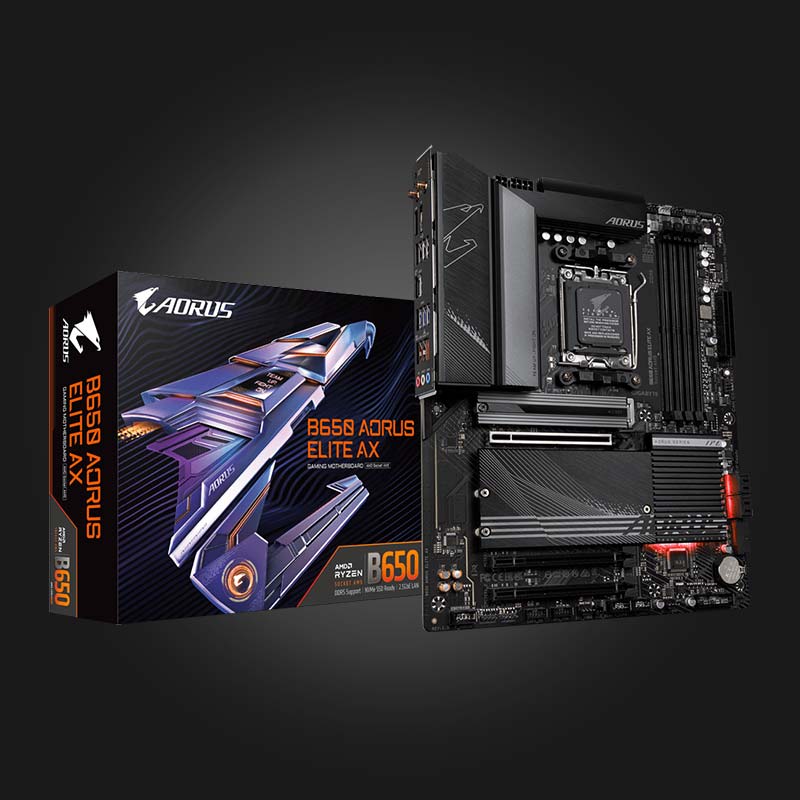
Choosing a motherboard starts with the processor, not the brand: decide first AMD or Intel, then socket, and only then chipset and size. In 2026, there are two active platforms — AMD AM5 and Intel LGA 1851 — plus LGA 1700, which still makes sense in budget builds.
Socket and chipset
- AMD AM5 (Ryzen 7000/8000/9000, DDR5 only) — B650, B850, X870. On AMD, the B-series also allows for processor overclocking and EXPO, so you only need the X870 for more PCIe lanes, USB4, and PCIe 5.0 in the graphics card slot as well;
- Intel LGA 1700 (Core 12-14 generation) — B760 and Z790. Here, the K-processor is overclocked only on Z. Motherboards exist for both DDR4 and DDR5 — in the name
D4/DDR4If it says it's DDR4,D5/DDR5— DDR5; - Intel LGA 1851 (Core Ultra 200S, DDR5 only) — B860 and Z890. The logic is the same: B is mainstream, Z — overclocking and more lines.
For most people, the answer is B-series: ASUS PRIME B650M-K Fully supports Ryzen 5/7, ASUS PRIME B760M-F WiFi DDR5 It covers everything from the i5-12400F to the i7-14700F.
Form factor
ATX (305×244 mm) — full size, more expansion slots and M.2; mATX (244×244 mm) — same features with fewer slots and cheaper; Mini-ITX (170×170 mm) — for compact cases with two RAM slots. A mATX motherboard will fit in an ATX case, but not vice versa.
VRM — Why it matters
The VRM supplies power to the processor. Ryzen 5 or i5 can be handled by any modern B-series motherboard, but i7/i9 K-series or Ryzen 9 require a motherboard. With a heatsink VRM and more phases, otherwise it will drop the frequency under load. X3D processors (7800X3D, 9800X3D) are energy efficient and even the average B650/B850 is enough for them — Gigabyte B650 Eagle AX It's a standard choice for this couple.
Wi-Fi, M.2 and PCIe 5.0
In the name Wi-Fi or AX It means a built-in wireless module — if you don't have a cable, this is a must. Check the number of M.2 slots: one SSD is not enough these days, two is a convenience. PCIe 5.0 does not yet make a real difference for a video card — modern cards at 4.0 x16 give almost the same frame rates — but PCIe 5.0 M.2 is already needed for fast SSDs. Gigabyte B860 Eagle WiFi 6E For Core Ultra, this includes everything, ASUS Prime X870-P Yes, it gives you USB4 on AM5 and PCIe 5.0 for your video card as well.
One practical tip
Ryzen 9000 or Core 14 generation on previously released motherboards may require a BIOS update. Search BIOS Flashback Button — without processor, update from flash drive.
Full selection — In the motherboard section. If you don't know which one will fit your processor, call us: +995 599 088883.

 All-in-One PC
 Laptop

 Motherboard
 CPU
 Cooling
 Case Fan
 Thermal Paste & Brackets
 Memory (RAM)
 Graphics Card
 Storage
 SSD
 Power Supply

 Keyboard
 Mouse
 Mouse Pad
 Headset
 IEM
 Wireless Headphones
 DAC & Amplifier
 Headphone Accessories
 Speaker
 Controller

 Microphone
 Mic Arm
 Audio Mixer
 Webcam
 Stream Deck
 Capture Card
 Decor

 Display cable
 USB & Type-C Cable
 Audio Cable
 Ethernet
 Gaming Chair