
Guides
DDR4 or DDR5 — Which RAM to Choose in 2026?

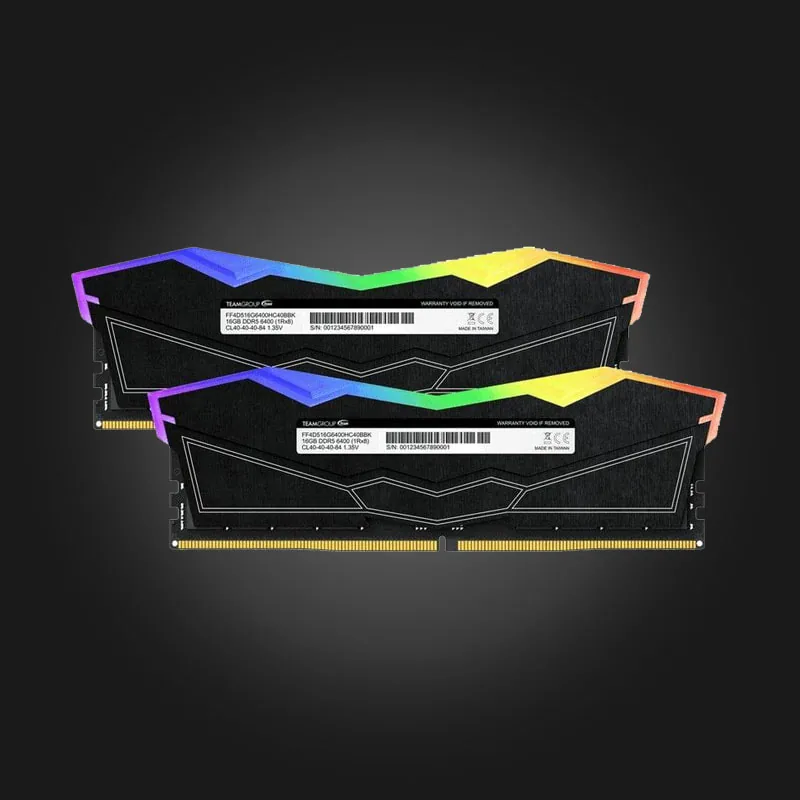
When choosing RAM, the first question is not DDR4 or DDR5 — the first question is, Which one does your motherboard support?. This is not a choice, but a limitation: DDR5 physically does not fit in a DDR4 slot and vice versa. There is no adapter.
Look at the socket first, not the price.
The rule is simple:
- AMD AM5 (Ryzen 7000, 8000, 9000) — DDR5 only;
- AMD AM4 (Ryzen 1000-5000) — DDR4 only;
- Intel LGA 1700 (12-14 generations) — Both, but a particular motherboard only accepts one;
- Intel LGA 1851 (Core Ultra) — DDR5 only;
- LGA 1200 / 1151 — DDR4, LGA 1155 — DDR3.
The answer to LGA 1700 is in the name of the motherboard itself: Z690-P D4 and B760M-P D4 It is DDR4, B760M GAMING DDR5 and B760M-P D5 Yes, DDR5. If the name says neither D4 nor DDR4, it's almost always DDR5.
How fast is DDR5 really?
The difference in numbers is huge: DDR4 typically runs at 3200-3600 MT/s, while DDR5 runs at 5200-6400 MT/s. In games, however, the difference is smaller than the numbers suggest — in most scenarios, the video card becomes the limiting factor sooner than the RAM.
Instead, DDR5 is felt where there is a large flow of data: video editing, 3D rendering, compilation, many plugins, and virtual machines.
How many gigabytes and why two sticks?
In 2026 16GB is the minimum, 32GB is the norm For gaming. But more importantly, memory In pairs Be: 2×8GB is noticeably faster than a single 16GB stick, because Dual Channel mode opens up twice as many channels.
So if you want 16GB, get it. Colorful 16GB (2×8GB) DDR4 3200MT/s And not just one stick. The same logic applies to DDR5 — Kingston 32GB (2×16GB) DDR5 5600MHz.
Timing and XMP/EXPO
The CL number (for example CL36) is the latency — the lower the better. But one thing is more important: out-of-the-box RAM in the BIOS At the base frequency It runs. To get 6000 MT/s and not 4800, you have to enable it in the BIOS. XMP (Intel) or EXPO (AMD). It's one switch and it's free performance — many don't do it at all.
Which one should I choose?
You're building a new system — DDR5, no doubt: the platform is new and future updates are on it. You're upgrading an existing AM4 or LGA 1200 computer — DDR4, and that's no compromise: Corsair Vengeance RGB Pro SL 16GB DDR4 3200MHz Even today, 1080p is more than enough for gaming.
Full selection — In the memory department. If you are not sure which one will fit you, call us and tell us your motherboard model: +995 599 088883.

 All-in-One PC
 Laptop
 Motherboard
 CPU
CPU Cooling
 Case Fan
 Thermal Paste & Brackets
 Memory (RAM)
 Graphics Card
 Storage
 SSD
SSD Power Supply
 Keyboard
 Mouse
Mouse Mouse Pad
 Headset
 IEM
IEM Wireless Headphones
 DAC & Amplifier
 Headphone Accessories
 Speaker
 Controller
 Microphone
 Mic Arm
 Audio Mixer
 Webcam
 Stream Deck
 Capture Card
 Decor
Decor
 Display Cable
 USB & Type-C Cable
 Audio Cable
 Ethernet
 Gaming Chair