
Guides
How to Choose a Video Card in 2026 — A Complete Guide

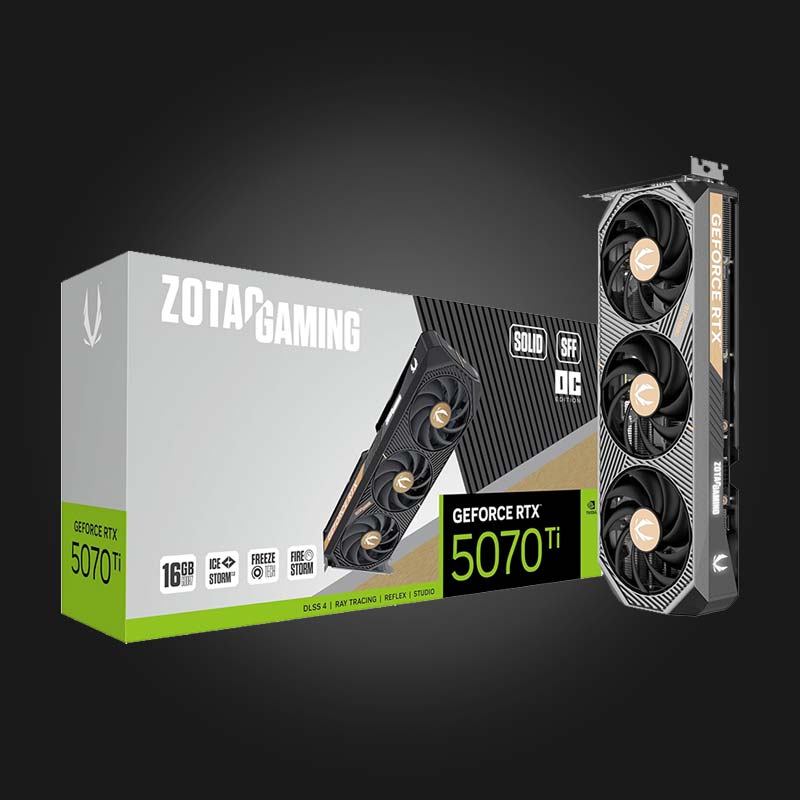
The graphics card (GPU) is one of the most important components of a gaming PC — it determines how fast and smooth your games run. In this simple guide, we'll explain how to choose the right graphics card for your needs and budget.
NVIDIA or AMD — which one should I choose?
There are two main manufacturers on the market: NVIDIA (GeForce RTX/GTX) and AMD (Radeon RX). NVIDIA leads in ray tracing and DLSS, while AMD often offers a better price/performance ratio. Both are great — it's the performance of the specific model that matters, not just the brand.
How much video memory (VRAM) do I need?
- 8GB — Enough for 1080p gaming
- 12GB — Comfortable for 1440p (2K) gaming
- 16GB and above — For 4K gaming and heavy workloads
Resolution and FPS
Choose a video card based on your monitor's resolution. An expensive 4K card on a 1080p monitor is a waste of money, and a weak card on a 4K monitor won't give you the desired FPS. Balance your video card and monitor with each other.
Choice according to budget
- Beginner level: 1080p at high settings — budget RTX/RX models
- Intermediate level: 1440p at high FPS — RTX 4060/4070 or Radeon RX analogs
- High level: 4K and maximum settings — RTX 4080/4090 class
Compatibility — Don't forget
Before buying, check: whether the power supply has enough power, whether the card will fit in the case, and whether a weak processor will not hinder a powerful video card (bottleneck).
FAQ
Which video card is best for 1080p gaming?
For 1080p, a mid-range card with 8GB of VRAM is perfectly sufficient and provides the best price/performance ratio.
Is it worth paying extra for ray tracing?
If you like realistic lighting and play at 1440p/4K — yes. At 1080p, the difference is less noticeable.
Where can I buy a video card in Georgia?
At Gamers.ge you will find a wide selection of NVIDIA and AMD video cards with official warranties, competitive prices, and fast delivery throughout Georgia.
Need help? Contact us — our team will help you choose a configuration that fits your budget.

 All-in-One PC
 Laptop
 Motherboard
 CPU
CPU Cooling
 Case Fan
 Thermal Paste & Brackets
 Memory (RAM)
 Graphics Card
 Storage
 SSD
SSD Power Supply
 Keyboard
 Mouse
Mouse Mouse Pad
 Headset
 IEM
IEM Wireless Headphones
 DAC & Amplifier
 Headphone Accessories
 Speaker
 Controller
 Microphone
 Mic Arm
 Audio Mixer
 Webcam
 Stream Deck
 Capture Card
 Decor
Decor
 Display Cable
 USB & Type-C Cable
 Audio Cable
 Ethernet
 Gaming Chair